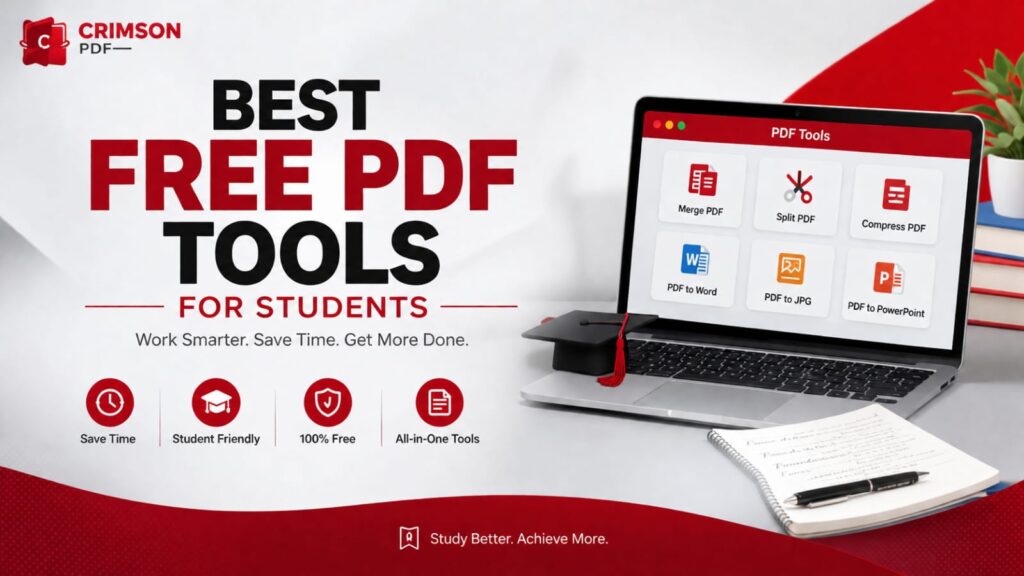
Best Free PDF Tools for Students
A roundup of the fastest, most reliable free tools for merging, splitting, compressing, and converting PDFs — everything you need to handle assignments, applications, and research papers without paying for software.
Between assignments, applications, and research papers, students handle PDFs constantly — and most of it doesn’t need expensive software. Here are five free, browser-based tools that cover the vast majority of what you’ll ever need to do to a PDF.
Every tool below runs directly in your browser, works on any device, and requires no sign-up. No trial periods, no watermarks, no software to install.
- You almost never need paid software to merge, split, compress, or convert a PDF.
- Browser-based tools avoid installs and work identically on any device.
- Compression and conversion quality vary — always preview before submitting.
Why Free Tools Matter #
Paid PDF software is built for enterprise workflows most students never touch. For the tasks that actually come up — combining scanned pages, shrinking a file for an email attachment, converting a Word draft for submission — a free, focused, browser-based tool comparison gets the job done just as well, instantly.
1. PDF Merger #
Combine multiple PDF files — scanned homework pages, a cover letter and resume, multiple research sources — into a single document in seconds, with drag-and-drop reordering before you export.
Combining several scanned assignment pages into one file before uploading to a learning portal that only accepts a single PDF.
PDF Merger
Combine multiple PDFs into one, with drag-and-drop page reordering.
2. PDF Splitter #
The reverse job — extract specific page ranges from a larger PDF into their own separate files. Useful when a professor shares one giant textbook PDF but you only need chapter 4.
PDF Splitter
Isolate or extract specific page ranges into discrete files.
Need to Edit a PDF Right Now?
Every document tool on this page — plus more — is one click away, right in your browser.
3. PDF Compressor #
Shrink a file’s size while keeping text sharp and images readable — essential when an application portal or email attachment has a strict size limit.
Compress after merging, not before — compressing each page individually and then combining them can leave visible quality inconsistencies between pages.
PDF Compressor
Reduce file size significantly while preserving text and image quality.
4. Word to PDF Converter #
Most assignment portals and applications ask for a PDF, not a .docx file — because PDFs preserve formatting, fonts, and layout exactly as you see them, regardless of what software opens them.
Word to PDF
Convert .docx files to PDF instantly, with 100% layout accuracy.
5. Resume Builder #
A bonus for anyone job- or internship-hunting: a structured resume builder that exports straight to PDF, so formatting never breaks when a recruiter opens it on a different device.
Always export your final resume as a PDF, never a .docx — a Word file can shift fonts and spacing depending on what software or device opens it.
Resume Builder
Build a structured, professional CV with live preview and PDF export.
Tool Comparison #
A quick reference for which tool to reach for and what you’ll get out of it:
| Tool | Best For | Output |
|---|---|---|
| PDF Merger | Combining multiple files | Single PDF |
| PDF Splitter | Extracting page ranges | Multiple PDFs |
| PDF Compressor | Reducing file size | Smaller PDF |
| Word to PDF | Submitting a Word draft | Formatted PDF |
| Resume Builder | Job & internship applications | ATS-friendly PDF |
Choosing the Right Tool #
Most tasks map to exactly one tool above, but a few situations use more than one in sequence:
- Combining scanned pages, then shrinking for email — Merger, then Compressor.
- Submitting a Word draft as a single application PDF — Word to PDF, then Merger if combining with other documents.
- Sending a large research paper by email — Compressor alone is usually enough.
Common Mistakes to Avoid #
- Compressing too aggressively — text can blur past the point of readability if you compress repeatedly.
- Losing page order — always double-check the final page sequence after merging.
- Submitting the wrong file format — confirm whether a portal wants .pdf or .docx before converting.
- Skipping the preview — always open the exported file once before submitting it anywhere.
Some free online PDF tools add watermarks or upload your files to third-party servers. CrimsonPDF’s tools process everything in your browser — your files never leave your device.
Summary #
Merging, splitting, compressing, and converting PDFs are five-minute tasks once you know which free tool to reach for — and none of them require paid software. Bookmark this page, or better, bookmark the tools themselves.
PDF Merger
The single most-used document tool on CrimsonPDF — combine files in seconds.
Frequently Asked Questions #
Are these PDF tools really free? +
Do I need to install any software? +
Is it safe to upload my documents? +
Which tool should I use to reduce a PDF’s file size? +
Can I merge a Word document with an existing PDF? +
Will compressing a PDF reduce its quality? +
Ready to handle your next PDF task?
Merge, split, compress, or convert — every document tool is free and ready right now.
Open Document Tools →